Refurbishment grading
Assign a consistent grade with evidence behind it, instead of one technician's judgement.
Hardware Diagnostics
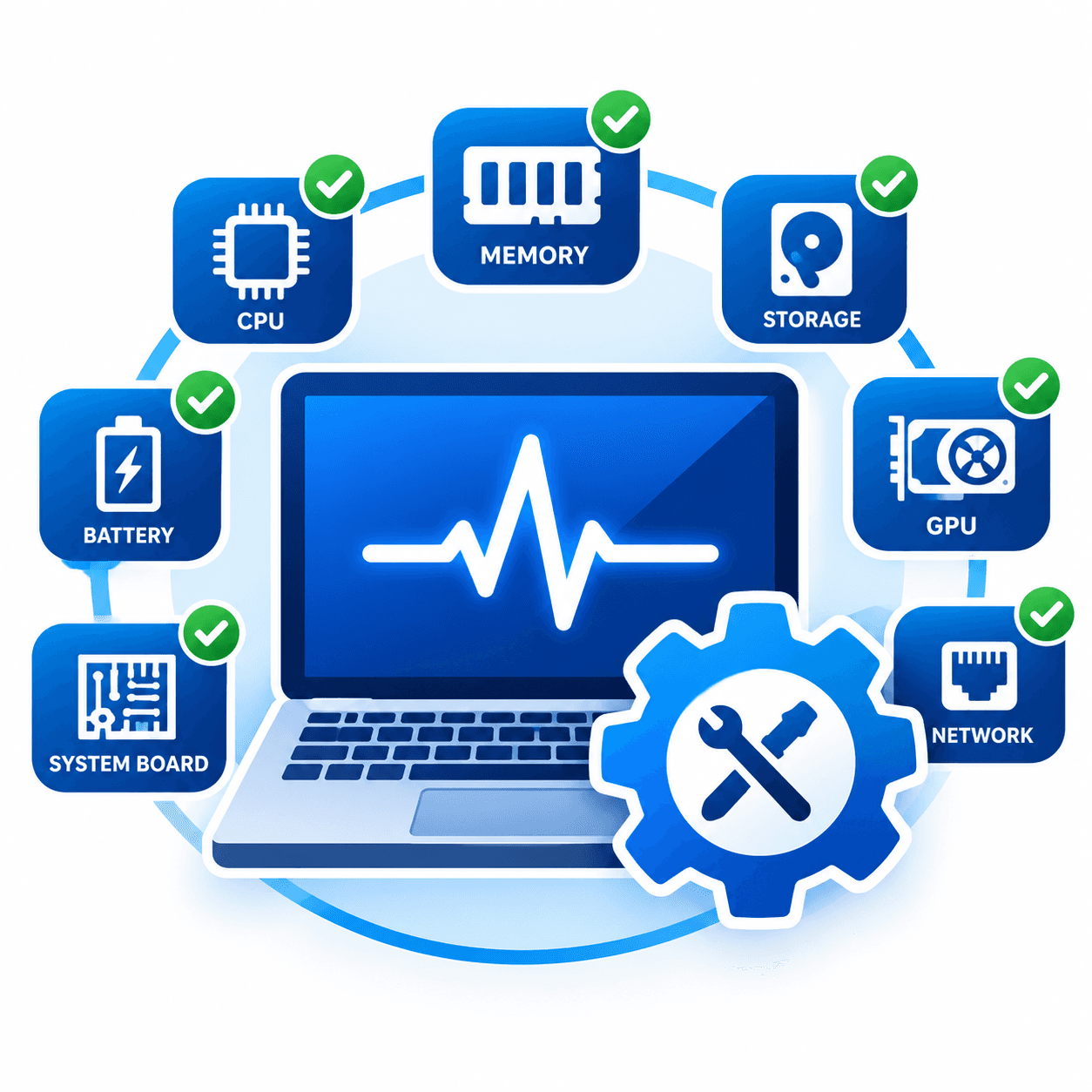
Wipora Erase Hardware Diagnostics tests 24 components of a laptop or desktop and produces one health report — CPU, memory, storage, battery, display, networking and peripherals. Fifteen tests run automatically; ten guide the operator through checks only a human can confirm. Run it from USB, over PXE, or across a fleet from the console.
Covers
Laptops · Desktops · Workstations
24 tests
14 automatic · 10 operator-guided
One report
Total, Success, At Risk, Warnings, Not Available
Find your team below.
Assign a consistent grade with evidence behind it, instead of one technician's judgement.
Confirm a machine's condition before paying for it.
Catch a dead port or a worn battery before the customer does.
Boot a room of machines over the network and collect every report centrally.
CPU, memory, storage, battery, display, networking, ports and peripherals.
Start the pass and walk away. CPU stress, memory patterns, storage seek and read, battery life, GPU, Wi-Fi, Bluetooth, HDMI and more.
Keyboard feel, speaker output, touch accuracy, webcam, fingerprint reader and physical condition — guided step by step so any technician gets the same result.
A component that does not pass is reported as At Risk, with the reason. A refurbisher needs to know what is wrong to price the machine.
A laptop with no fingerprint reader has not failed a test. Those are reported as Not Available, separately from problems.
Every report shows the same five figures: Total tests, Success, At Risk, Warnings, Not Available.
Not per test.
Supports device-grading documentation for R2v3 and e-Stewards certified recycling, and asset-condition records under ISO 27001 asset management.
Component tests use the hardware’s own reporting and self-test facilities where available — SMART for storage, EDID for displays, TPM self-test for the system board.
Boot
From USB, or over the network with PXE.
Select tests
All 24, or only the ones you need.
Run
Automatic tests run unattended; guided tests prompt the operator.
Grade
Download the report with the full five-figure summary.
One machine at a time. Boot from USB, run the job, and save the report to the same drive. Grade one machine or a whole intake batch.
Many machines at once, with no USB to carry. Machines boot from the network and appear in the console ready for work.
Issue jobs to networked machines and watch progress live. Reports come back to one place automatically.
| Total tests | 25 |
| Automatic | 15 — CPU, Memory, Storage, Battery, Ethernet, GPU, Monitor, CMOS, System Board, Wi-Fi, Bluetooth, HDMI, USB-C, Optical Drive |
| Operator-guided | 10 — Keyboard, Mouse/TouchPad, Microphone, Audio, Display, Touch Screen, Webcam, USB Port, Fingerprint, Accessories & Grading |
| Result states | Success, At Risk, Warning, Not Available |
| Supported machines | Laptops, desktops, workstations |
| Deployment | Bootable USB · PXE network boot · central console |
| Licensing | One licence per machine report |
| Reporting | PDF to local USB, plus cloud console sync |
The same software, the same reports, whichever product you license.
Boot one machine from a USB drive, boot many at once over the network with PXE, or drive a whole fleet from the central console.
One dashboard for every machine, drive, report and certificate. Track what was processed, by whom and when, and manage licences across teams and sites.
Every report is digitally signed. Scan the QR code on any certificate to confirm it is genuine — no login required.
IEEE 2883-2022 and NIST SP 800-88 Rev. 2, the current revision plus legacy patterns including DoD 5220.22-M, for policies that still name them.
One Device, one license. Buy what you need and use it when you need it.
Try Hardware Diagnostics on your own intake, or talk to us about volume.